
Tuesday, September 2 at 10:30 PM ET: Your Manage360 site will be automatically updated to the latest version. We expect this may take up to 30 minutes, during which your site may be unavailable.
Enhancements
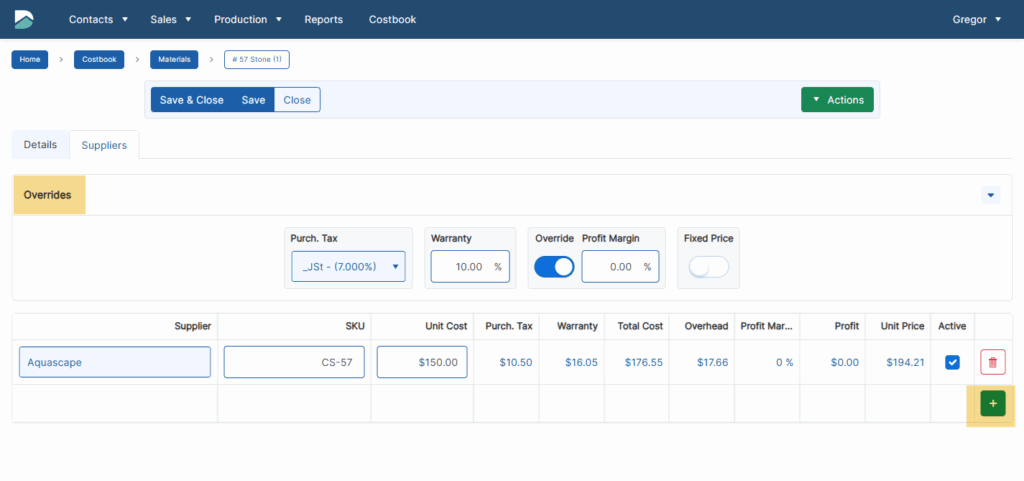
- UI updates for the Material pages: We have continued to enhance the Materials page in the Costbook further. To make it easier to see the relevant information. In the ‘Suppliers’ tab, click in the editable fields to enable editing. The button to add new items is now in the bottom right (as new rows will be added to the bottom). All of the available overrides are now in their section. Please send any feedback to support@dynascape.com.
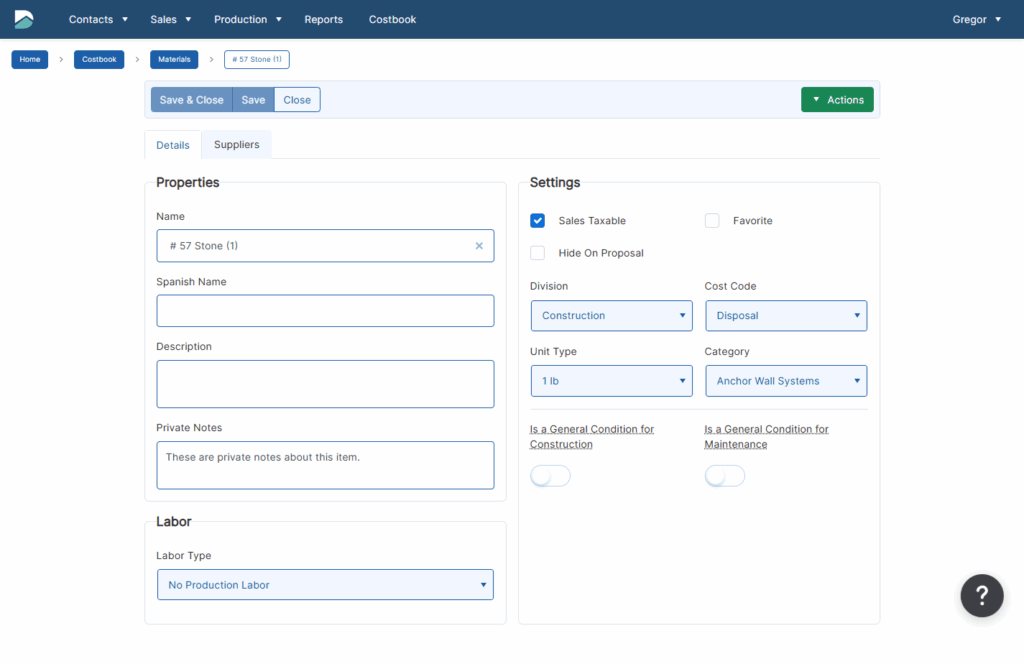
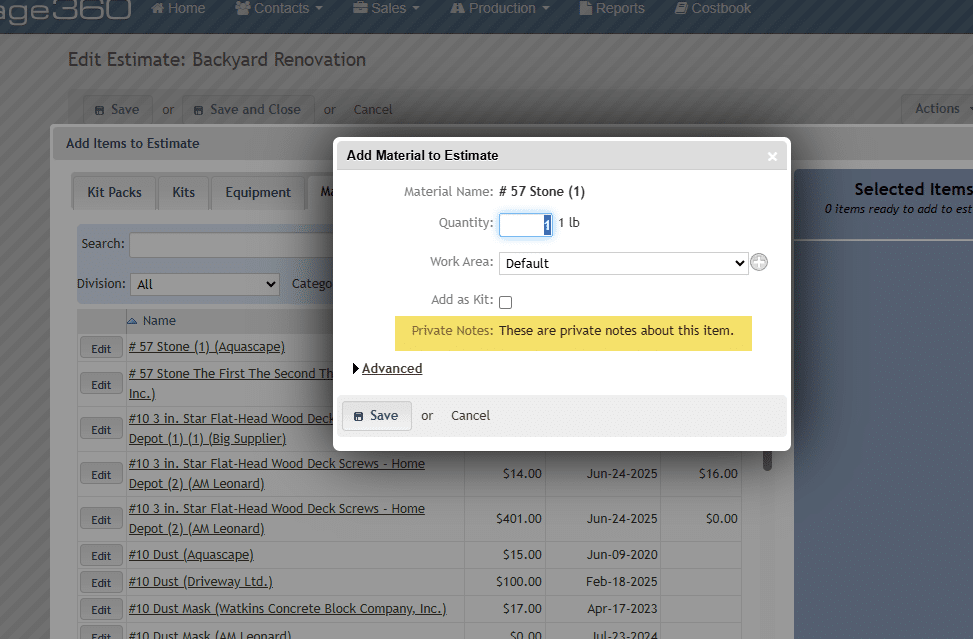
- Private Notes for Costbook items: We have added a new field to the Costbook items (Equipment, Labor Rates, Labor Types, Materials, Misc Items, Plants, Subcontractors) called Private Notes. This is a plain text field. It will also be visible when the items are added (or edited) on estimates.

- Search bar on the Settings page: The search bar for the settings page will now be locked at the top as you scroll down the list.
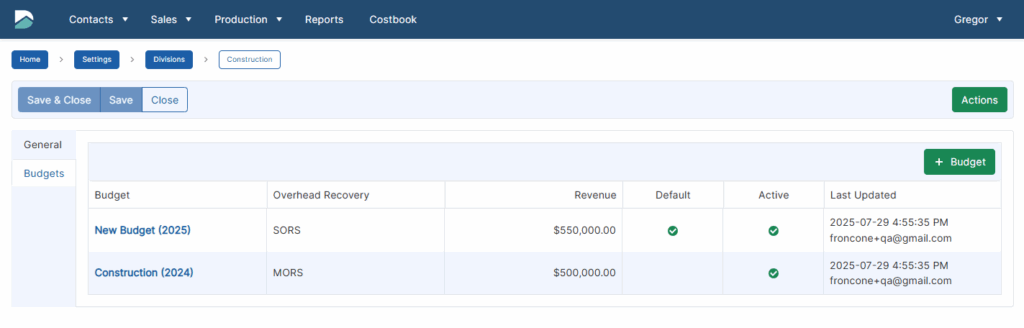
- Division Budgets: We have added the ability to add more than one budget per Division. This can be useful when creating a new Budget for the upcoming year (and not having to edit the existing one). There are Default, Active, and Name options for the Budget page. By default, there will be no change to the existing process as the existing budget will be both Active and Default. If an additional budget is created, then there will be a list of budgets to open. If there is only a single budget, there will be no change.

- User-level beta access: We have added new functionality that would allow access to Beta-type features on either a user or an entire site level.
Fixes
- Employee Hours Report: We have addressed an issue with the Employee Hours that could occur when selecting specific Divisions.
- Timezone for Company information: We have addressed an issue that could occur when using the mobile app if the company’s timezone was not set correctly.
- Error when downloading file: We have fixed an issue that was preventing files from being downloaded correctly from the Plant Photos tab.
- Plant Picture Catalog: We have fixed an issue with this report so that Work Area filters will default correctly on load.
- Schedule All Visits: We have addressed an issue that could occur when the number of visits exceeded the contract end date when using ‘Schedule All’ from the Job – Contract tab.
- General Conditions: We have fixed an issue that could cause the Maintenance General Conditions column to be visible in the Costbook when it should not have been.
- Configuration Settings: We have addressed an issue that could cause certain configuration settings to not be visible in the UI.
- Report Date Picker: We have fixed an issue that could occur when running a report where either the Start or End dates were left blank.
- Invalid Site Access: We have addressed an issue that could have prevented users from being able to log out successfully in certain situations.
A special thank you to the following for their recommendations, which helped to shape this release:
- Adam C – Stuber Land Design
- Alyssa S – Quiet Nature
- Bill B – Livewell Outdoors
- Christian B – Perfect Landscapes
- George R – Rosser Landscaping
- Jeff H – Sierra Nevada
- Jen K – Bahler Brothers
- Joseph S – Nature Perfect
- Kim T – Trent Culleny Landscape
- Mack M – Saylee Greer
- Priscilla F – James Landscaping
- Rosalie T – TDH Landscaping
- Stan M – Bosque Natural
- Steven J – Envisioning Green